
Bizzo casino app: mobile access, installation and rewards
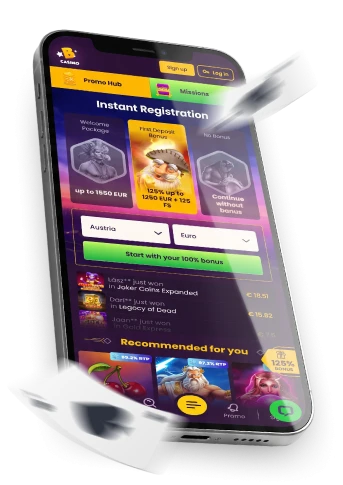
If you play from a phone or tablet, the Bizzo casino app question usually comes down to one choice: open the mobile website straight away, or follow the in-menu route to add the application to your device. This guide walks through both paths, what to expect from the games list on a smaller screen, how the app-related free-spin reward works, and where to go if something does not load the way you expect.
We will also flag the one condition that trips people up most often — a reward that costs nothing to receive is not automatically free to withdraw.
Choose a mobile route before installing
There are two practical ways to reach Bizzo casino on a handheld device. The first is the mobile website in your browser, which gives you access to the mobile casino experience without a separate installation step. The second starts from the in-menu Application entry.
The documented app route does not establish a particular store, APK or device-wide availability. If you only need immediate mobile access, use the browser route; if you want the application path, open the menu and follow the instructions shown there.
Follow the Application menu route
The installation route we can confirm is short and does not depend on a specific operating system or store:
- Open the Bizzo menu.
- Tap “Application”.
- Review and follow the instructions displayed for your device.
Use the menu path shown above and follow the instructions displayed for your device. If the Application entry is not visible or the route does not work as expected, use the mobile website and contact Live Chat if you need help.
Check mobile play and device fit
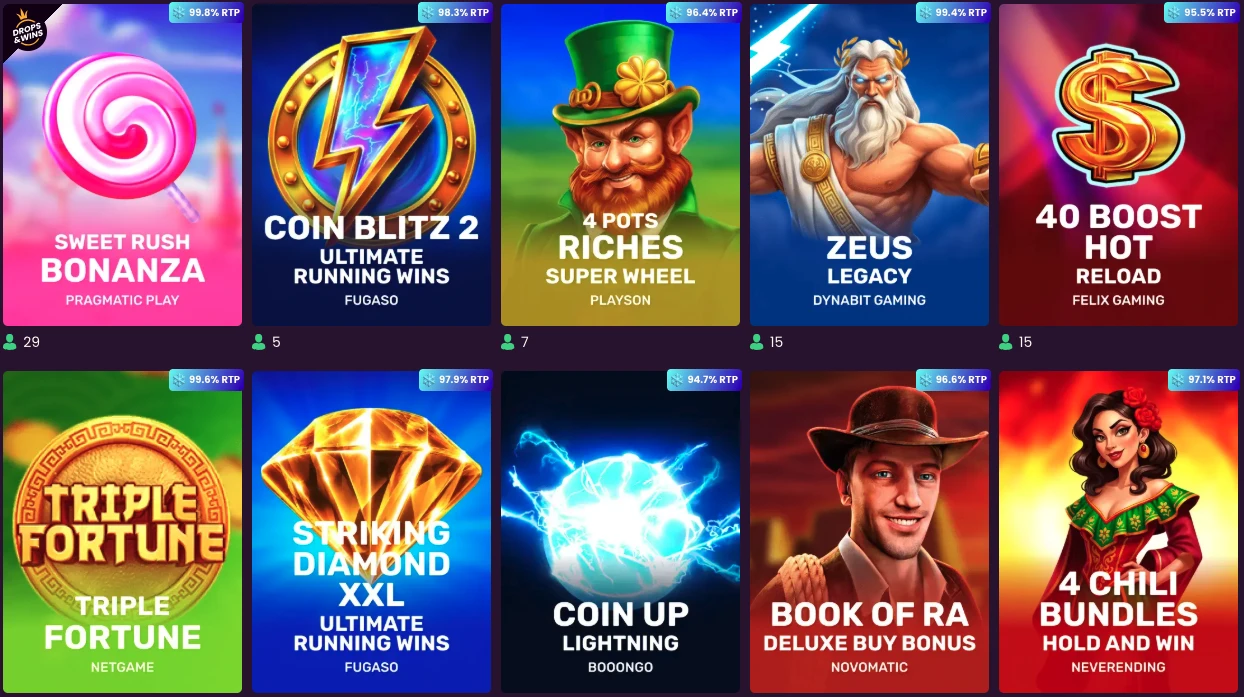
On mobile, you can browse video slots and live table games with real croupiers, including poker, roulette, baccarat and blackjack. Performance can still vary with device, browser and connection.
A few practical checks help before you start: use a current, updated mobile browser rather than an old cached version, confirm you have a stable connection (live dealer tables in particular are sensitive to drops), and make sure the screen layout is readable. If a game looks cramped or loads slowly, rotate the screen or retry it in the mobile browser before assuming there is a broader compatibility problem.
Separate the app reward from the push reward
It is worth keeping these two offers distinct, because both involve 10 free spins and it is easy to mix them up:
- App installation: 10 free spins once, with no deposit needed to receive them; they become available one hour after you log into your account, and the bonus must be wagered within seven days.
- Push subscription: a separate one-time 10-free-spin reward becomes available one hour after you tap Subscribe to push notifications; on iOS, the instructions require the app to be installed first before this option appears.
The app-install spins cost nothing to receive, but receiving them is not the same as being able to withdraw freely. Unless the specific offer states otherwise, the general rules apply: winnings are wagered at 40x, the account must be fully verified, and the general no-deposit terms require a deposit equivalent to EUR 20 before a related withdrawal can be processed. The no-deposit cash-out cap is CAD 75. Keep the reward itself separate from the conditions that apply before any winnings can be withdrawn.
Sign in on mobile and keep one account
Use the “Log in” control in the mobile interface to reach your account. The same Bizzo casino login entry handles mobile access; no separate mobile-only sign-in flow is required.
One rule to keep in mind regardless of device: each player is permitted only one personal account. Creating more than one can lead to those accounts being terminated and any payouts being suspended, so if you switch between the mobile website and the application, make sure you are returning to the same single account rather than registering again.
Troubleshoot mobile access and contact support
If something does not load correctly, a short, low-risk checklist is worth running through before assuming there is a deeper problem:
- Check your connection and reload the mobile page.
- Try the mobile website if the “Application” option is not available on your device.
- If the problem remains, contact support through Live Chat and explain what happened.
Live Chat is the direct support route for mobile-access problems, and customer support is listed as available 24/7. When you contact the team, include the route, device and on-screen problem you saw; availability does not guarantee a particular response or resolution time.
Mobile access FAQs
Can I use Bizzo on a mobile browser?
Yes. You can use the mobile website to access video slots and live table games. Check the specific game and interface on your own device because performance and layout can vary.
What is the minimum age to use Bizzo?
The stated minimum is 18, but if the jurisdiction where you live sets a higher age for online gaming, that higher age applies instead. It is your responsibility to check the rules that apply where you live.
How can I contact Bizzo support about mobile access?
The quickest route is Live Chat — contact the support team there and explain the specific problem you have run into on your device.
Can I create more than one Bizzo account?
No — each player may hold only one personal account. Creating duplicate accounts can lead to those accounts being terminated and any payouts being suspended, so it is worth sticking to a single account across both the mobile website and the application.